
Your business profile
The details printed on your documents, defaults for new quotes and invoices, document numbering and your message template.
Open Settings › Business Profile, make your changes and tap Save. Changing defaults doesn't change documents you've already made.
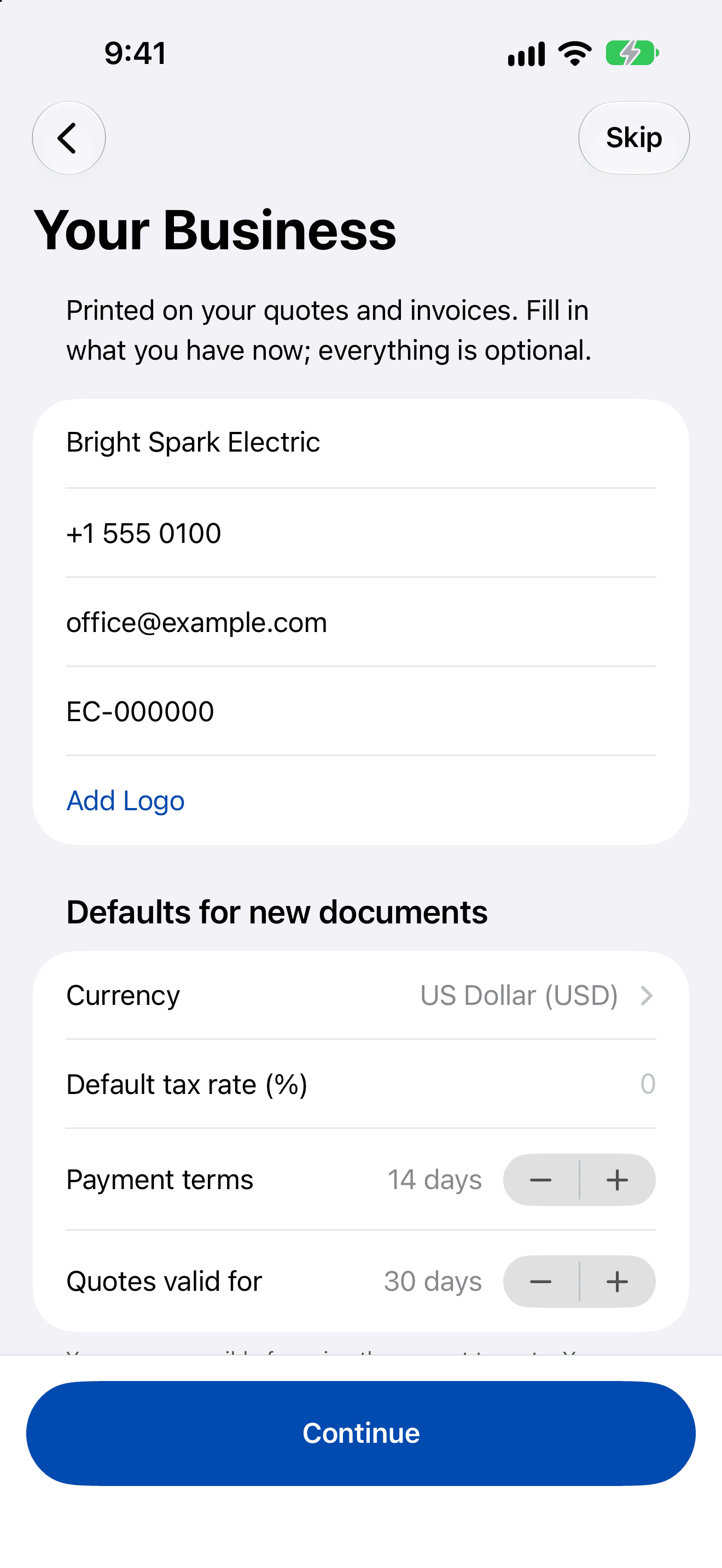
Business
- Business name, address, phone, email and licence number.
- Your logo, from Photos. It's stored at up to 1,024 pixels on the long edge.
Defaults for new documents
- Default tax rate (%): from 0 to 100. You're responsible for using the correct rate.
- Payment terms: 0 to 365 days (14 unless you change it).
- Quotes valid for: 1 to 365 days (30 unless you change it).
- Currency: any currency. Existing documents keep their own.
Numbering
Set the Quote prefix (Q- unless you change it) and Invoice prefix (INV-). Each can be 1 to 8 letters, digits, -, / or _, and the two must be different.
Payment link, terms and messages
- Payment link (optional): see PDFs, your logo and payment link.
- Terms printed on documents and a Footer.
- Message template: the default message when you send. See Send quotes and invoices.