
Import a price book from CSV
Bring your existing price list into AmpQuote from a spreadsheet: the columns it reads, the values it accepts, and its limits.
Import a file
- Save your spreadsheet as CSV (UTF-8) and put it somewhere the Files app can see, such as iCloud Drive or On My iPhone.
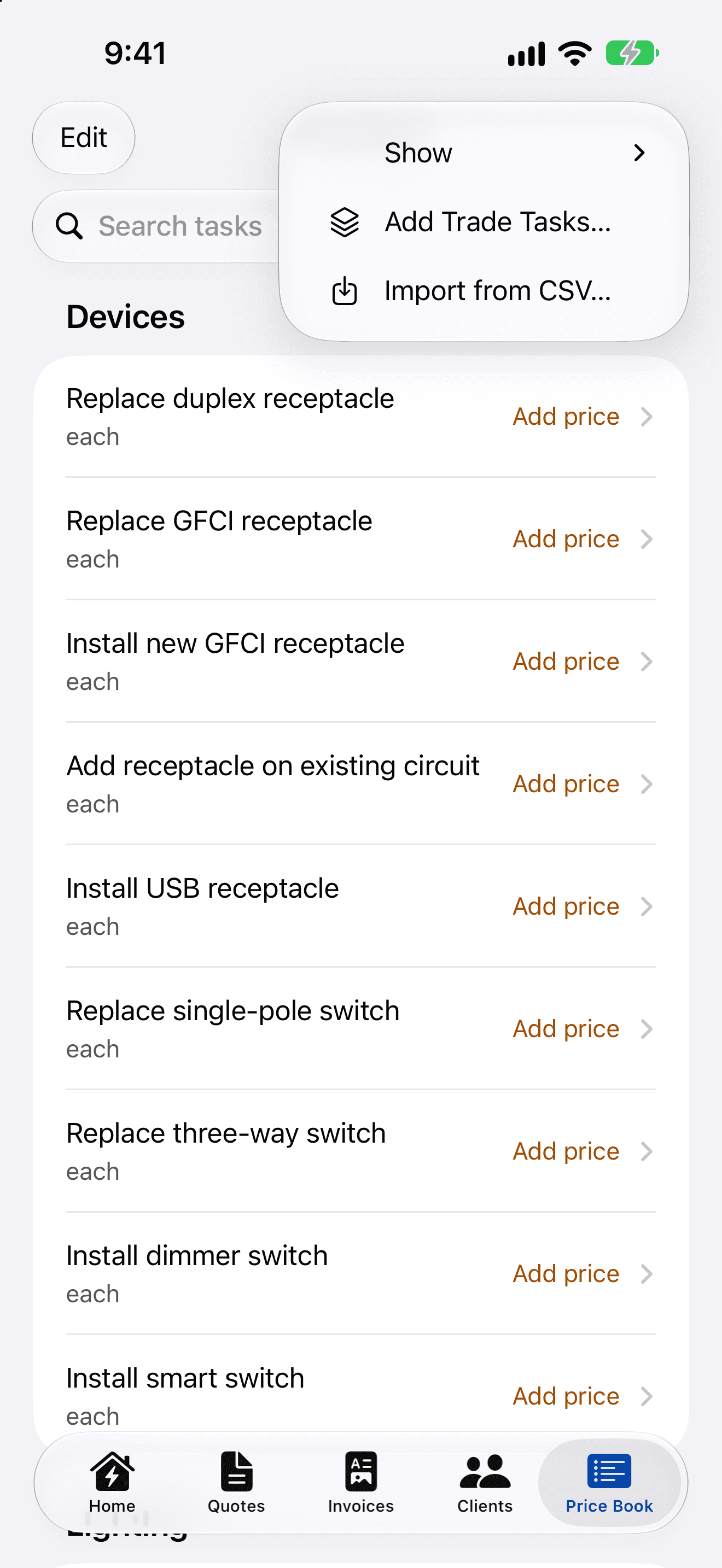
- In Price Book, open the more menu (•••) and choose Import from CSV….
- Pick the file. AmpQuote shows how many items are ready to import, and lists any rows it will skip with the line number and the reason.
- Tap Import.
Columns
The first row must be a header. Column names can be in any order and any case, and spaces don't matter, so “Unit Price” works. Only a name column is required; other columns are ignored.
- Name (required): name, item, description or task
- Category: category, group or section
- Unit: unit, units or uom
- Price: unit price, price, rate or cost
- Labour minutes: labour minutes, labor minutes, minutes, labour or labor
- Taxable: taxable, tax or taxed
Values
- Unit: each, metre, foot or hour, and common short forms such as ea, pcs, m, ft, hr. Blank means each.
- Price: for example 1234.50, or the number format your device uses. From 0 to 100,000,000.
- Labour minutes: a whole number from 0 to 100,000.
- Taxable: yes, y, true, 1 or blank for yes; no, n, false, 0 or exempt for no.
Limits
- Up to 20 MB and 5,000 rows per file. Split bigger lists into several files.
- Up to 64 columns, and 10,000 characters in any one cell.
- Rows with a problem, such as a missing name or an unknown unit, are skipped and listed. Problems with the whole file, such as no header row, stop the import with an explanation.