AmpQuote

For electricians, HVAC techs, plumbers and every trade in between

Quote on site. Signed on the screen. Invoiced in one tap.

AmpQuote does four things — quote, signature, invoice and payment tracking — and nothing else, so a quote takes under a minute on the job.

Coming soon to the App Store

14-day free trial · Free for 3 new quotes a month · iPhone and iPad, iOS 26 or later
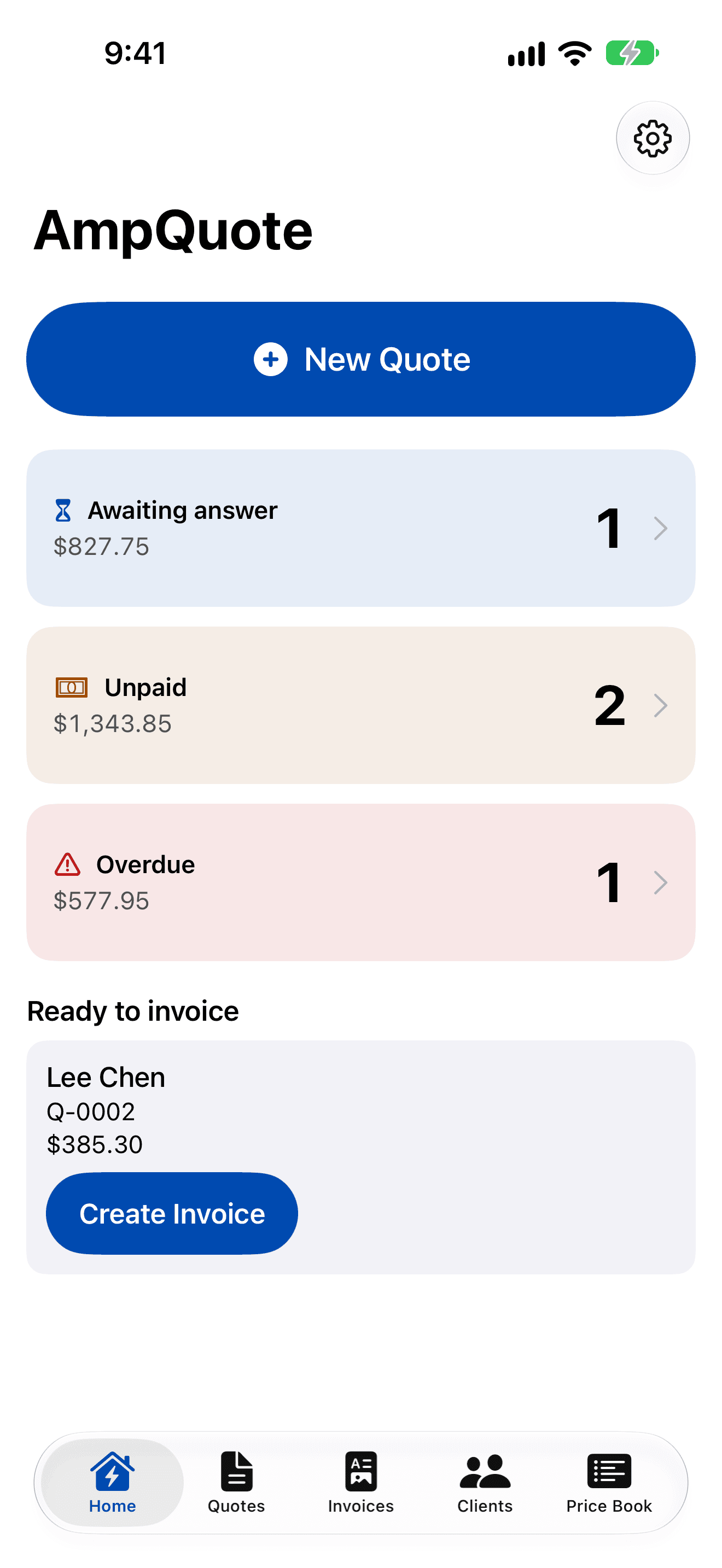
AmpQuote home screen on iPhone: a large New Quote button, then Awaiting answer (1, $827.75), Unpaid (2, $1,343.85) and Overdue (1, $577.95), and a Ready to invoice card for Lee Chen with a Create Invoice button.
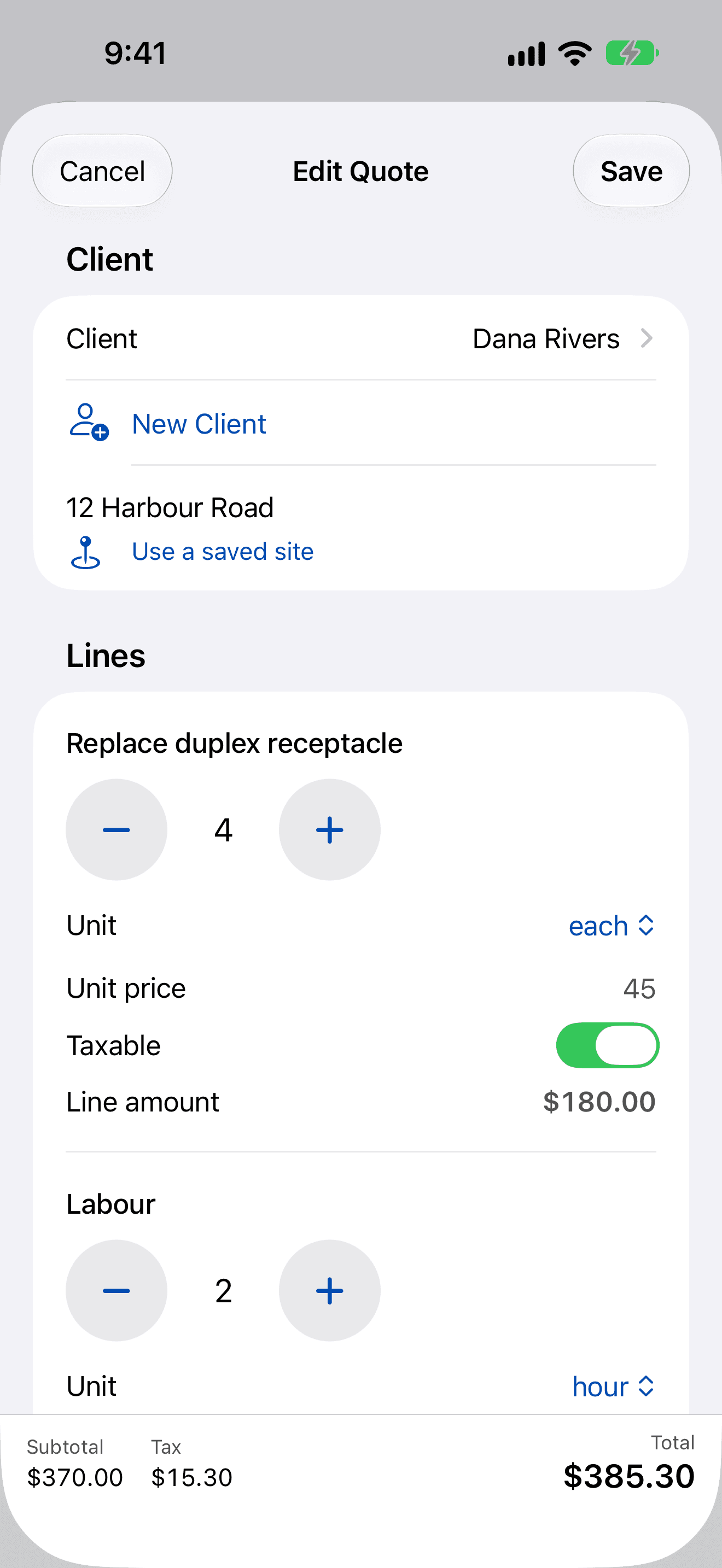
Editing a quote for Dana Rivers at 12 Harbour Road: each line has large minus and plus buttons for the quantity, a unit, a unit price and a taxable switch, with the subtotal, tax and $385.30 total along the bottom.

Price books ready for

  • Electrical
  • HVAC
  • Plumbing
  • Handyman
  • Painting
  • Roofing
  • Carpentry

How it works

From the first visit to the final payment

  1. 1Quote on site

    A quote in under a minute

    Pick a client or add one on the spot, tap the tasks from your price book, and set quantities with big buttons made for one hand.

    • Start from common tasks for your trades, then set your own rates once
    • Subtotal, discount, tax and total update as you go
    • Job site addresses saved with each client
    Editing a quote for Dana Rivers at 12 Harbour Road: each line has large minus and plus buttons for the quantity, a unit, a unit price and a taxable switch, with the subtotal, tax and $385.30 total along the bottom.
  2. 2Signed on the screen

    Your client signs right there

    Hand over the phone or iPad. Your client signs with a finger or Apple Pencil and types their name under the total they're agreeing to.
    • The signed quote is locked: signature, name, date and totals can't be changed
    • The signed PDF is kept with a SHA-256 fingerprint, and AmpQuote shows it's unchanged whenever you reopen it
    • Need changes? Create a revision; the original is kept
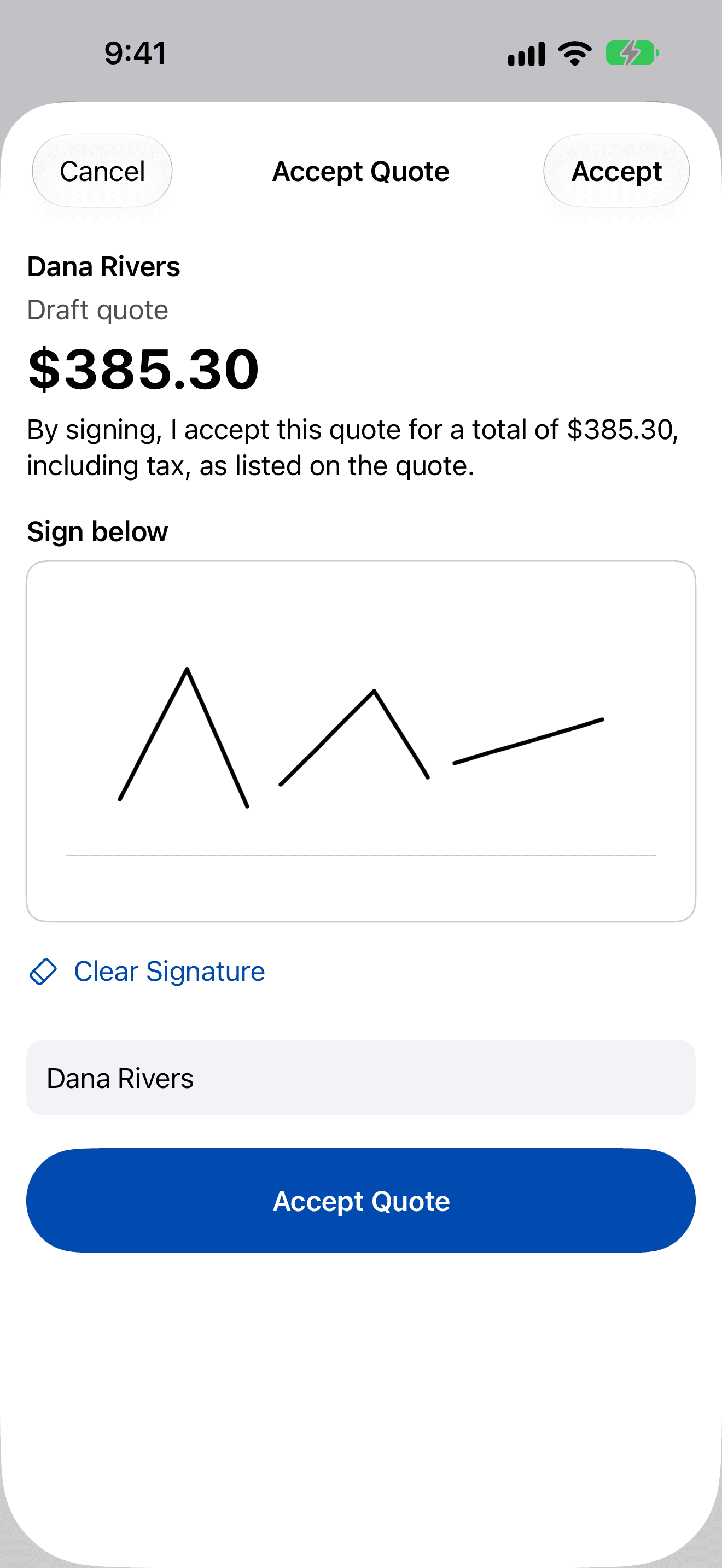
    Accept Quote screen: the $385.30 total, the sentence the client agrees to, a box where Dana Rivers has signed with a finger, their typed name and an Accept Quote button.
  3. 3Invoice in one tap

    Professional PDFs with your logo

    Turn an accepted quote into an invoice with one tap and send it through Mail, Messages or any app in the share sheet. You review everything before it goes.
    • Your logo, licence number, line items, totals and terms
    • Add your own payment link and it's printed as an address and a QR code
    • Job photos can be added to the PDF
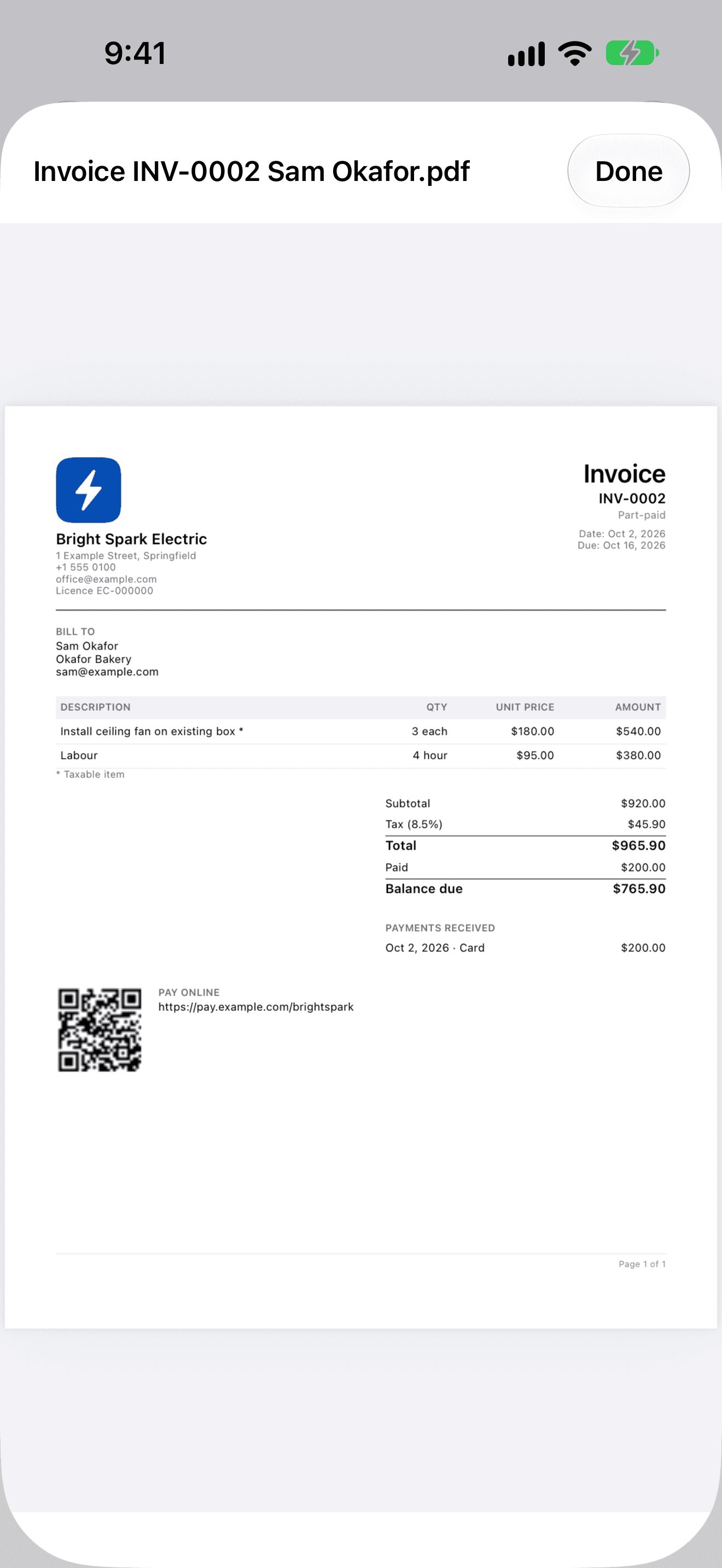
    PDF preview of invoice INV-0002 from Bright Spark Electric: business logo, address and licence number, line items, 8.5% tax, a $965.90 total, a $200 card payment, the $765.90 balance due and a Pay online QR code.
  4. 4Get paid

    Know what's owed

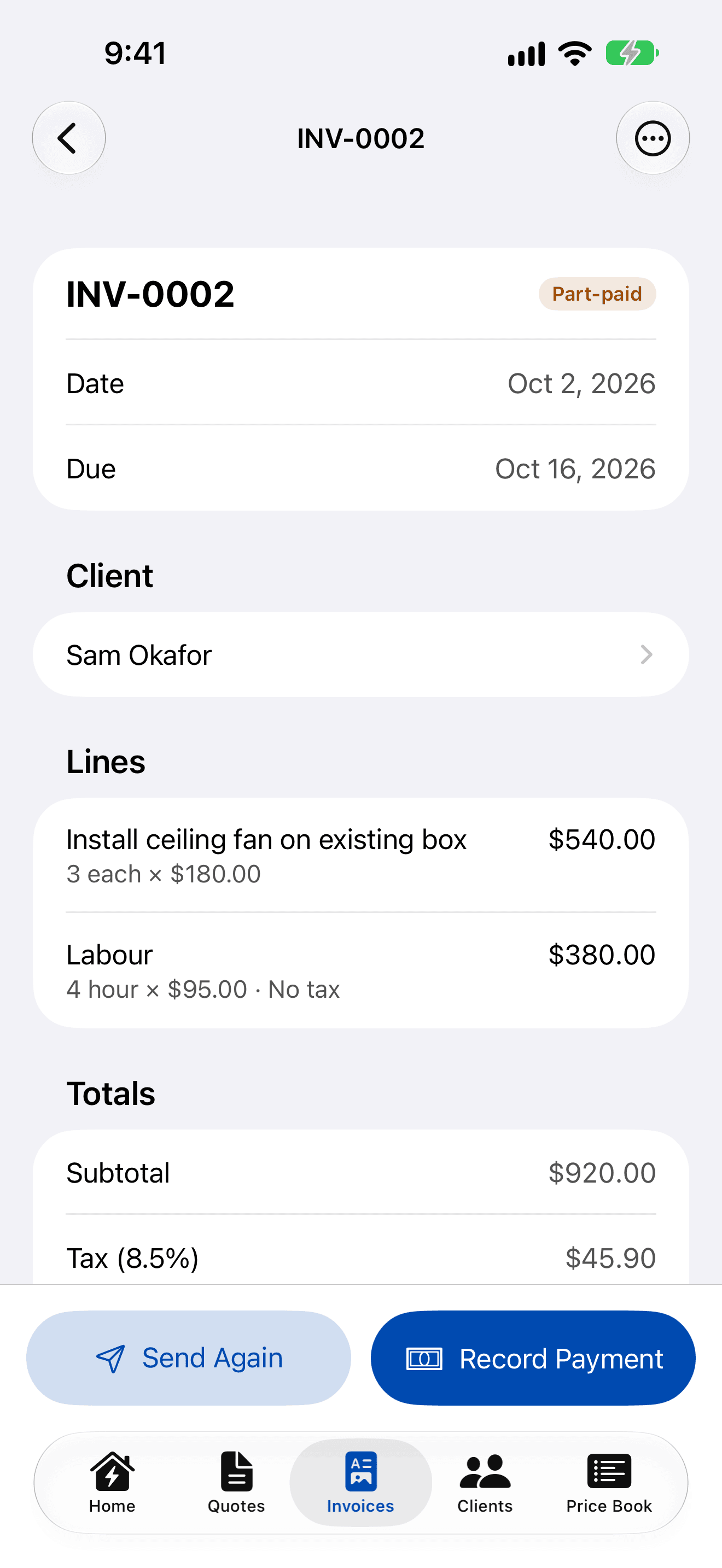
    Record part and full payments as they come in, and the invoice status updates itself. The home screen shows what's awaiting an answer, unpaid and overdue.
    • Overdue is worked out from the due date in your own time zone
    • Sent invoices are voided, never deleted, so your records stay complete
    • Every list is one tap from the home screen
    Invoice INV-0002 for Sam Okafor marked Part-paid, with its lines and totals and buttons to Send Again and Record Payment.

iPad

Made for iPad too

The same records on a bigger screen, synced through your own iCloud account.
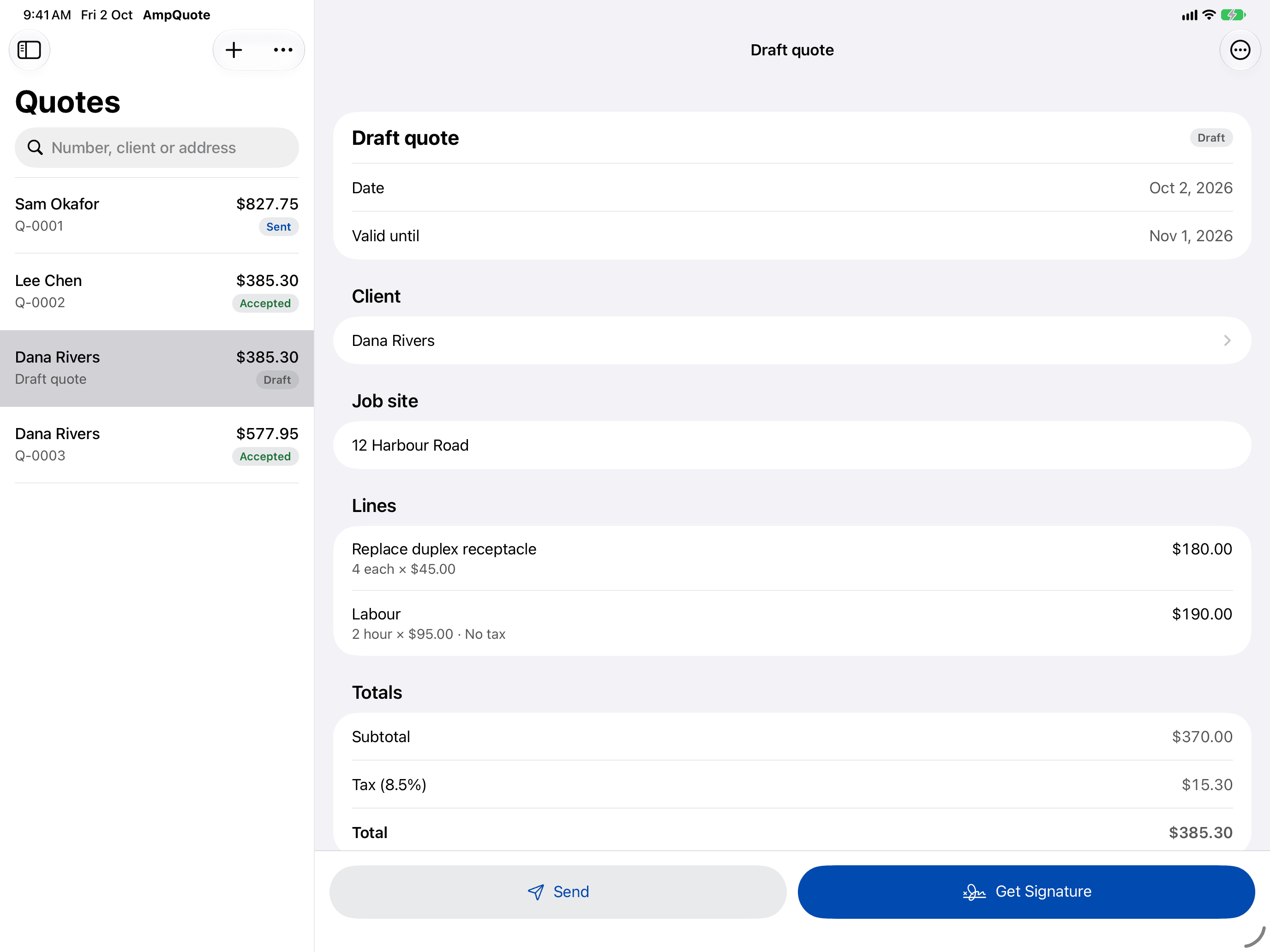
AmpQuote on iPad in landscape: the Quotes list with Sent, Accepted and Draft badges beside the open draft quote for Dana Rivers, with its lines, totals, and Send and Get Signature buttons.
  • Sidebar, list and detail side by side
  • Keyboard shortcuts: ⌘N for a new quote, ⌘F to search
  • Open quotes, invoices and clients in their own windows
  • Signatures with Apple Pencil

Also included

The small things that save you time

Privacy

Your data stays yours

  • Your records live on your device and, if you use iCloud, in your own iCloud account.
  • We run no server and there's no account with us. We can't see your clients, quotes or invoices.
  • No ads, no tracking, no analytics. The App Store privacy label is “Data Not Collected”.
  • Export everything as a ZIP file, or erase it all, at any time.

Read the privacy policy for the details.
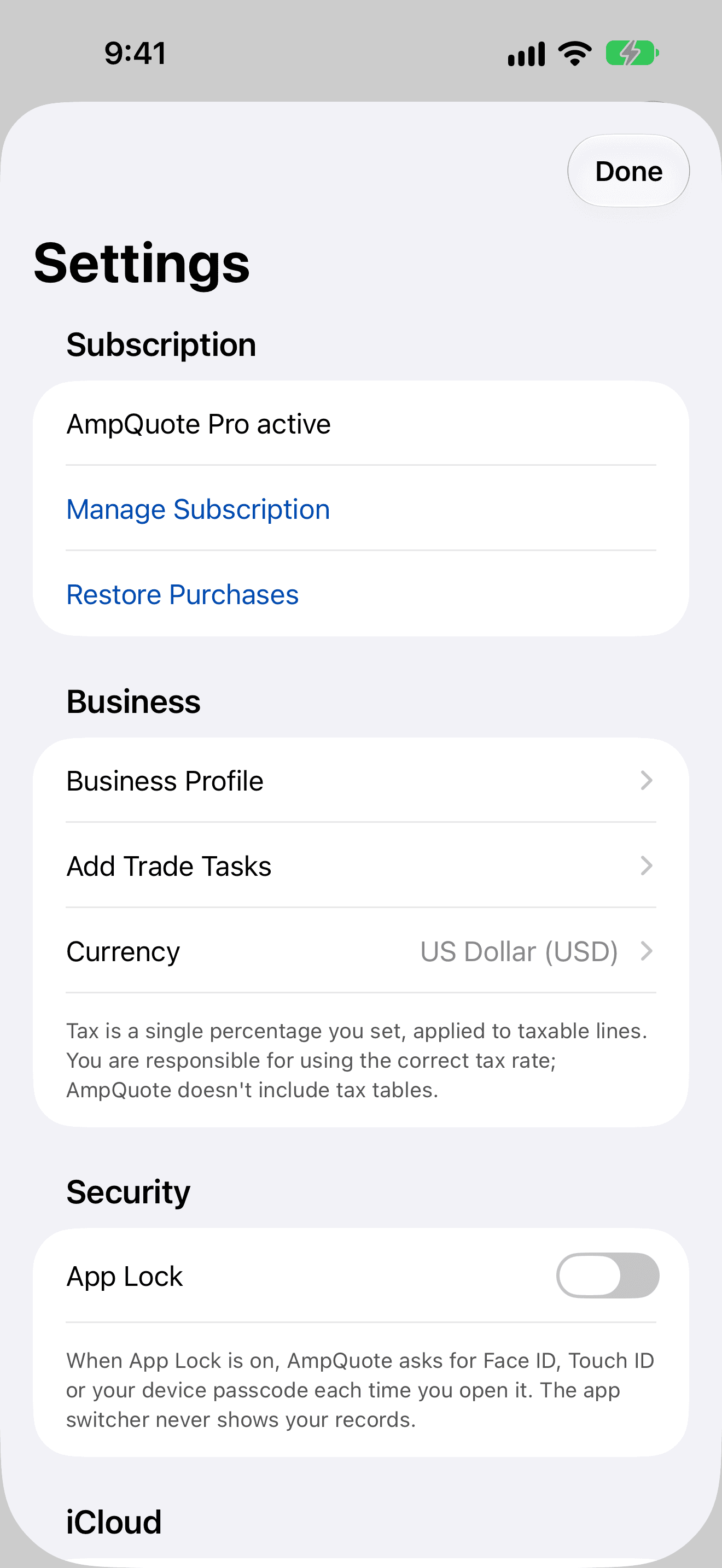
Settings: AmpQuote Pro active with Manage Subscription and Restore Purchases, Business Profile, Add Trade Tasks and currency, a note that you set your own tax rate, and the App Lock switch.

Pricing

Start free. Upgrade when you're busy.

Free

US$0

No subscription needed

  • 3 new quotes every month
  • Sending, signing, invoicing and payments on those quotes
  • View, export and erase all your data, always

AmpQuote Pro

14-day free trial

US$14.99 a month

or US$149.99 a year, saving US$29.89 (16%)

  • Unlimited quotes
  • Blank invoices, without a quote first
  • Everything in Free

AmpQuote Pro is an auto-renewable subscription, billed to your Apple Account. The free trial is for eligible new subscribers. It renews automatically unless you turn off auto-renew at least 24 hours before the end of the current period, in your Apple Account settings. If a subscription ends, AmpQuote returns to the free plan: nothing is deleted or locked.

Prices may vary by country and are shown in the app before you buy. See the terms of use.

Questions

How do I restore my purchase?

Your AmpQuote Pro subscription is linked to your Apple Account. Sign in to the App Store with the same Apple Account you used to subscribe, open AmpQuote and tap Restore Purchases on the subscription screen or in the app’s Settings.

How do I move to a new iPhone or iPad?

Sign in to the same iCloud account on the new device and install AmpQuote. Your data syncs from your own iCloud private database.

Which tax rate should I use?

AmpQuote lets you set a single tax percentage, which is applied to the lines you mark as taxable. It includes no tax tables and does not give tax advice. You are responsible for using the correct rate for your business; if you're unsure, check with your accountant or tax authority.

See all questions and get support

Quote, sign and invoice before you leave the job.

Coming soon to the App Store